Part ofIndia IT Cost·Pricing guides for IT services in India — websites, mobile apps, e-commerce, custom software, and GST billing systems.
Starting an online store is one of the smartest investments a business can make in 2026 — but the costs vary wildly depending on your approach. A basic WooCommerce store can cost ₹15,000, while a fully custom e-commerce platform can exceed ₹5,00,000.
This guide gives you honest, detailed pricing so you can budget accurately and choose the right approach for your business.
E-commerce Website Cost Summary
| Approach | Setup Cost (INR) | Monthly Cost (INR) | Best For |
|---|---|---|---|
| Shopify (hosted) | ₹0 – ₹10,000 | ₹2,000 – ₹25,000/month | Quick launch, non-technical owners |
| WooCommerce (self-hosted) | ₹15,000 – ₹80,000 | ₹500 – ₹5,000/month | Budget-friendly, full control |
| Custom build (Next.js, React) | ₹75,000 – ₹5,00,000+ | ₹2,000 – ₹15,000/month | Unique requirements, scale |
| Marketplace (Amazon, Flipkart) | ₹0 | Commission per sale (5–25%) | Testing demand before investing |
Not sure which fits your budget? Our free website cost calculator gives you a personalised estimate in 60 seconds.
Need Help With Your Project?
Tell us what you're building — we'll send a detailed proposal with timeline and cost breakdown within 24 hours.
Platform Comparison with Costs
Shopify
Monthly plans: Basic ₹2,000/month → Shopify ₹5,300/month → Advanced ₹22,000/month
Pros: Easy setup, hosted (no server management), 100+ payment gateways, app marketplace, 24/7 support.
Cons: Transaction fees (2% on Basic plan unless using Shopify Payments), limited customisation, monthly cost adds up over years, data portability concerns.
Total year-1 cost: ₹35,000 – ₹3,00,000 (plan + apps + theme + setup)
WooCommerce (WordPress)
Software cost: Free (open source)
Need Help With Your Project?
Tell us what you're building — we'll send a detailed proposal with timeline and cost breakdown within 24 hours.
Actual cost: Hosting (₹200–₹3,000/month) + Theme (₹0–₹5,000 one-time) + Plugins (₹0–₹15,000/year) + Developer setup (₹15,000–₹80,000)
Pros: Full ownership, no transaction fees, unlimited customisation, 60,000+ plugins, massive community.
Cons: Requires hosting management, security is your responsibility, can be slow without optimisation, plugin conflicts.
Total year-1 cost: ₹20,000 – ₹1,20,000
Custom Build (Next.js / React)
Development cost: ₹75,000 – ₹5,00,000+ (one-time)
Pros: Complete control, best performance, unique features, scales to millions of products, no platform lock-in.
Cons: Higher upfront cost, needs experienced developers, longer development time.
Total year-1 cost: ₹1,00,000 – ₹6,00,000+
We build custom e-commerce solutions for businesses that have outgrown Shopify and WooCommerce. See our retail chain e-commerce case study.
Cost Breakdown by Feature
| Feature | WooCommerce | Shopify | Custom Build |
|---|---|---|---|
| Product catalogue (up to 500 products) | Included | Included | ₹15,000 – ₹40,000 |
| Shopping cart & checkout | Included | Included | ₹20,000 – ₹50,000 |
| Payment gateway (Razorpay/PhonePe) | Free plugin + 2% per txn | Built-in + 2% per txn | ₹15,000 – ₹30,000 + 2% per txn |
| Shipping integration (Shiprocket) | Free – ₹5,000 plugin | Free – ₹2,000 app | ₹10,000 – ₹25,000 |
| Inventory management | Included (basic) | Included | ₹20,000 – ₹60,000 |
| Admin dashboard | Included (WordPress) | Included | ₹30,000 – ₹80,000 |
| GST-compliant invoicing | ₹2,000 – ₹5,000 plugin | ₹500 – ₹2,000 app | ₹10,000 – ₹20,000 |
| Multi-vendor marketplace | ₹5,000 – ₹15,000 plugin | Not native (needs app) | ₹50,000 – ₹1,50,000 |
Payment Gateway Fees in India
| Gateway | Transaction Fee | Settlement Time | Notes |
|---|---|---|---|
| Razorpay | 2% per transaction | T+2 business days | Most popular in India, easy integration |
| PhonePe (PG) | UPI: 0%, Cards: 1.75% | T+1–T+3 | Growing fast, good UPI rates |
| Stripe India | 2% per transaction | T+2 | Best for international payments |
| Cashfree | 1.90% per transaction | T+1 | Fastest settlement, good for high volume |
| PayU | 2% per transaction | T+2 | Established player, EMI options |
Note: UPI transactions through PhonePe PG are currently 0% — a significant saving if most of your customers pay via UPI (which is the case for most Indian e-commerce).
Ongoing Monthly Costs
| Item | Monthly Cost (INR) | Notes |
|---|---|---|
| Hosting | ₹200 – ₹5,000 | Shared for small stores, VPS/cloud for high traffic |
| SSL certificate | ₹0 – ₹500 | Let's Encrypt is free |
| Domain renewal | ₹50 – ₹125 (annual/12) | .in or .com domain |
| Email hosting | ₹75 – ₹500/user | Google Workspace or Zoho |
| Platform subscription (Shopify only) | ₹2,000 – ₹22,000 | Not applicable for WooCommerce/custom |
| Plugin/app updates | ₹0 – ₹2,000 | Annual renewals for premium plugins |
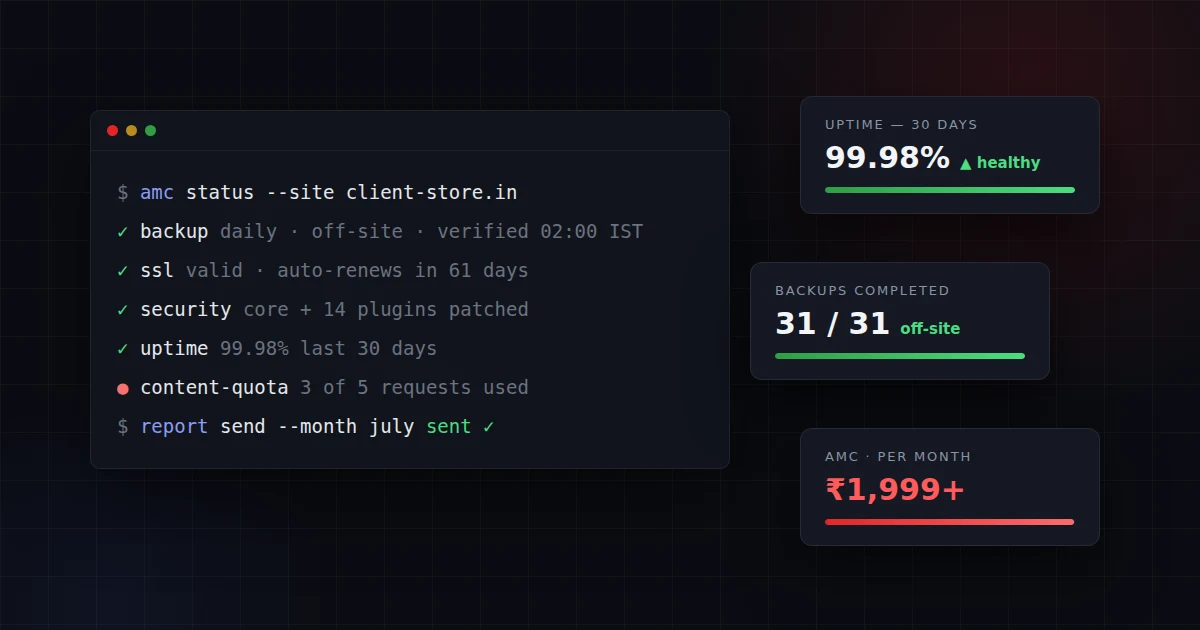
| Maintenance & support | ₹2,000 – ₹10,000 | Bug fixes, updates, backups |
| Marketing (SEO, ads) | ₹3,000 – ₹25,000+ | Optional but recommended |
E-commerce maintenance sits at the higher end because payments, stock, and checkout need active monitoring. For a monthly estimate matched to your store, use our free website maintenance cost calculator.
Cheapest vs Best: What You Get at Each Price Point
Budget: Under ₹25,000
WooCommerce with a free theme on shared hosting. 50–200 products, basic design, Razorpay payment. Works for testing the waters — but expect limitations in speed and customisation.
Mid-range: ₹25,000 – ₹1,00,000
WooCommerce or Shopify with premium theme, custom branding, shipping integration, GST invoicing. 200–2,000 products. This is the sweet spot for most Indian small businesses launching their first online store.
Premium: ₹1,00,000 – ₹5,00,000+
Custom-built e-commerce with unique design, advanced features (multi-vendor, AI recommendations, inventory sync with physical store), and optimised performance. For businesses where e-commerce is a primary revenue channel.
Our e-commerce development service covers all three tiers. We recommend starting at mid-range and scaling up as your online sales grow.
How to Build an E-commerce Website: Step by Step
Whether you are launching your first online store or moving from a marketplace to your own website, follow these 10 steps to build a functional e-commerce site:
- Choose your e-commerce platform. Decide between Shopify (easiest, monthly fee), WooCommerce (cheapest long-term, requires hosting), or a custom build (most flexible, highest cost). Your choice depends on budget, technical skills, and how much customisation you need. For most Indian small businesses starting out, WooCommerce offers the best balance of cost and control.
- Register a domain name. Choose a .com or .in domain that matches your brand name. Keep it short, easy to spell, and free of hyphens. Register through GoDaddy, Namecheap, or BigRock for ₹500–₹1,500/year. Check domain availability early — popular names sell out fast.
- Set up hosting. For WooCommerce, choose a hosting provider like Hostinger (₹200/month), SiteGround, or DigitalOcean. For Shopify, hosting is included in your plan. Ensure your hosting has SSL (free with Let's Encrypt), daily backups, and servers located in or near India for fast load times.
- Design your store. Select a theme that matches your product category and customise it with your brand colours, logo, and typography. Focus on clean product pages, easy navigation, and a streamlined checkout flow. Mobile-first design is essential — over 70% of Indian e-commerce traffic comes from smartphones.
- Add your products. Upload product images (minimum 3–5 per product, white background, multiple angles), write clear descriptions with specifications, set prices with GST included or excluded (be consistent), and organise products into logical categories. Use high-quality images — poor product photography is the number one reason online stores fail to convert visitors.
- Integrate a payment gateway. Set up Razorpay, PhonePe, or Cashfree to accept UPI, credit cards, debit cards, net banking, and wallets. UPI is the most popular payment method in India — ensure it works smoothly. Most gateways charge 2% per transaction and settle funds in T+1 to T+3 business days. Also consider adding Cash on Delivery (COD) as an option — it still accounts for 40–50% of Indian e-commerce orders.
- Configure shipping. Integrate with a shipping aggregator like Shiprocket (₹25–₹80 per 500g shipment) or Delhivery for automated shipping label generation, real-time tracking, and multi-courier comparison. Set shipping rates by zone (local, regional, national) and offer free shipping above a minimum order value to increase average order size.
- Set up SEO basics. Optimise every product page with a unique title tag, meta description, clean URL slug, and alt text for images. Create category pages with descriptive content. Submit your sitemap to Google Search Console. Install an SEO plugin (Yoast for WooCommerce, or built-in tools for Shopify). Good SEO from day one saves you from expensive rework later.
- Test everything before launch. Place test orders through every payment method. Check the checkout flow on mobile and desktop. Verify that order confirmation emails send correctly. Test shipping calculations for different pin codes. Check page load speed (aim for under 3 seconds). Fix any broken links or missing images. Have 3–5 people outside your team test the buying process and report issues.
- Launch and start marketing. Announce your store on social media, WhatsApp Business, and Google My Business. Set up Google Analytics to track visitors and conversions. Run initial Google Ads or Instagram ads with a small budget (₹5,000–₹10,000) to drive first traffic. Collect customer reviews from your first 10–20 orders — social proof is critical for new stores. Plan a content marketing strategy with blog posts targeting your product-related keywords.
Need help building your e-commerce store? Our e-commerce development service handles everything from platform selection to launch.
For global benchmarks, see Clutch's 2025 web design cost survey.
Need Help With Your Project?
Tell us what you're building — we'll send a detailed proposal with timeline and cost breakdown within 24 hours.
Frequently Asked Questions
How much does an ecommerce website cost in India?
Is Shopify or WooCommerce better for an Indian store?
How much should I budget for ecommerce maintenance per month?
Do I need GST invoicing on my ecommerce website?
What payment gateway should I use for an Indian ecommerce site?
How long does ecommerce website development take in India?
Which platform is best for beginners in India?
Can I start an online store with ₹10,000?
How much should I budget for the first year?
Do I need GST registration to sell online?
Should I sell on my own website or on Amazon/Flipkart?
About the author
Ashok Kumar co-founded Redpulse Software in Karur, Tamil Nadu in 2010 with a single conviction: enterprise-grade software should not be a metro-only privilege. Sixteen years and 200+ projects later, that founding bet has held. Redpulse delivers the same engineering quality used by Bangalore and Chennai agencies, at Tier-2 operating cost, for businesses across India.
Ashok leads the company's business strategy, client relationships, and project management practice. He is hands-on across engagements. From the first 30-minute discovery call through the final launch readiness review, he is on every weekly client call. His technical depth is in digital marketing strategy and search optimisation. It also covers the operational discipline of running multi-channel growth programmes for Indian SMEs.
The clients Ashok has worked with span textile exporters in the Coimbatore-Tirupur belt and hospital networks across Tamil Nadu. The list also includes SaaS startups in Chennai's Tidel Park, retail chains, education institutions, and family-business manufacturers in Karur, Erode, and Salem. The pattern across all of them is the same. These are businesses that needed a real digital partner to take them from Excel-and-WhatsApp operations to digitally-instrumented growth. Not a freelancer, not a metro agency carrying metro overhead.
Outside the company, Ashok writes regularly on the Redpulse blog about practical digital marketing for Indian SMEs. His focus is transparent pricing, attribution measurement, and what actually works for businesses operating outside the venture-funded startup bubble.
Free Consultation
Get expert advice for your project